Show 3D model on a business card



Description
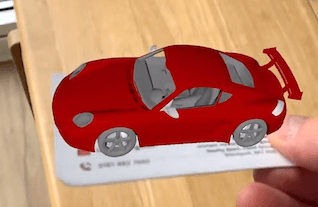
In this lesson we are getting a 3d model and placing it on a recognised image in the scene.
We can see in the video that as the orientation of the detected 2d image is changed, the orientation of the 3d model changes as it has been placed relative to the 2d image.
Video
Code
Next Step : Gestures
After you have mastered this you should try Gestures