Body tracking



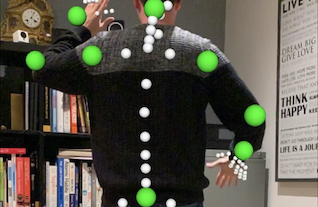
Description
In this example we will look at how ARKit can detect a body in the scene and track its major joints as it moves around. We will also see how we can superimpose nodes onto the locations of those detected joints in 3D space.
For this we will use ARBodyTrackingConfiguration and we will keep track of the joints we detect in a Dictionary, placing spheres in their location. When the position of those joints change, we detect this and update the position of the spheres.
I was unable to find an example of Body Tracking using C#, Xamarin and ARKit anywhere online. I hope you find this helpful.
Video
Code
Next Step : Draw straight line
After you have mastered this you should try Draw straight line